Creating objects and object structures
First, go to the menu item "Objects & Facilties".
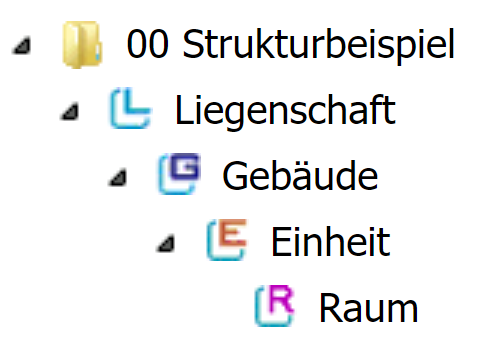
On the left side you will now see an example structure on which you can orient yourself.
4 levels are available to capture your room book.
The following video presents the object system and structuring in more detail:

Related Articles
Why does my "caretaker" and "objector" see no tasks? (Object sharing)
If your users cannot see object structure or tasks, then sufficient rights have not been granted in rights management for these users. As soon as you select the role "Objector" or "Jawtaker", you must share objects of your object structure to these ...Creating addresses
To create internal and external addresses, first switch to the Addresses menu item. On the left you can choose from the different address books. Owner Company profile Employment Users/Residents Objects Invoicing In addition to internal information on ...User roles and creation of users
The following user roles can be used in the house manager: -Administrator - Performance - Property supervisors - Caretaker - External - Service providers Each role brings standardized access rights but also individual restrictions and approvals from ...Linking addresses with service areas in the respective objects
Linking the addresses to the service areas serves to automatically assign persons to tasks as well as for facilitating processing in the event of changes of responsibilities. The aim of the link is to assign one or more responsible persons to the ...System of real exist systems/components or services from the master data in the objects
What are facilities? Facilities represent all real existing technical systems, inventory items, services and other elements in the actual objects/service locations in the house manager. How do I create facilities? Once the performance and components ...